Does Google Trends have an API?
Yes, but most people cannot use it yet. Google's answer to requests for a Google Search trends API is the Google Trends API (alpha), introduced the Google Trends API (alpha) on July 24, 2025. Its page says Google is accepting applications for alpha testers and, because it cannot open the API to everyone yet, prioritises developers who know what they want to build. The announcement said access would go to a very limited number of testers.
What the alpha offers is useful: consistently scaled search interest, so numbers from different requests can be compared; a rolling window of 1,800 days (about five years) up to two days ago; daily, weekly, monthly and yearly aggregations; and breakdowns by region and sub-region. Google has not published pricing or a general release date, so there is no Google Trends API key you can simply sign up for.
pytrends and other unofficial libraries
Most Google Trends API Python tutorials use pytrends, so a search for a Google Trends API pytrends example still leads there. Its GitHub repository was archived by the owner on April 17, 2025 and is now read-only; the README describes it as an unofficial API that works only until Google changes its backend again. Other Google Trends API GitHub projects and npm packages follow the same approach: they call the internal endpoints the Trends website uses, which change without notice and tend to block heavy use.
Getting Google Trends data with a scraper
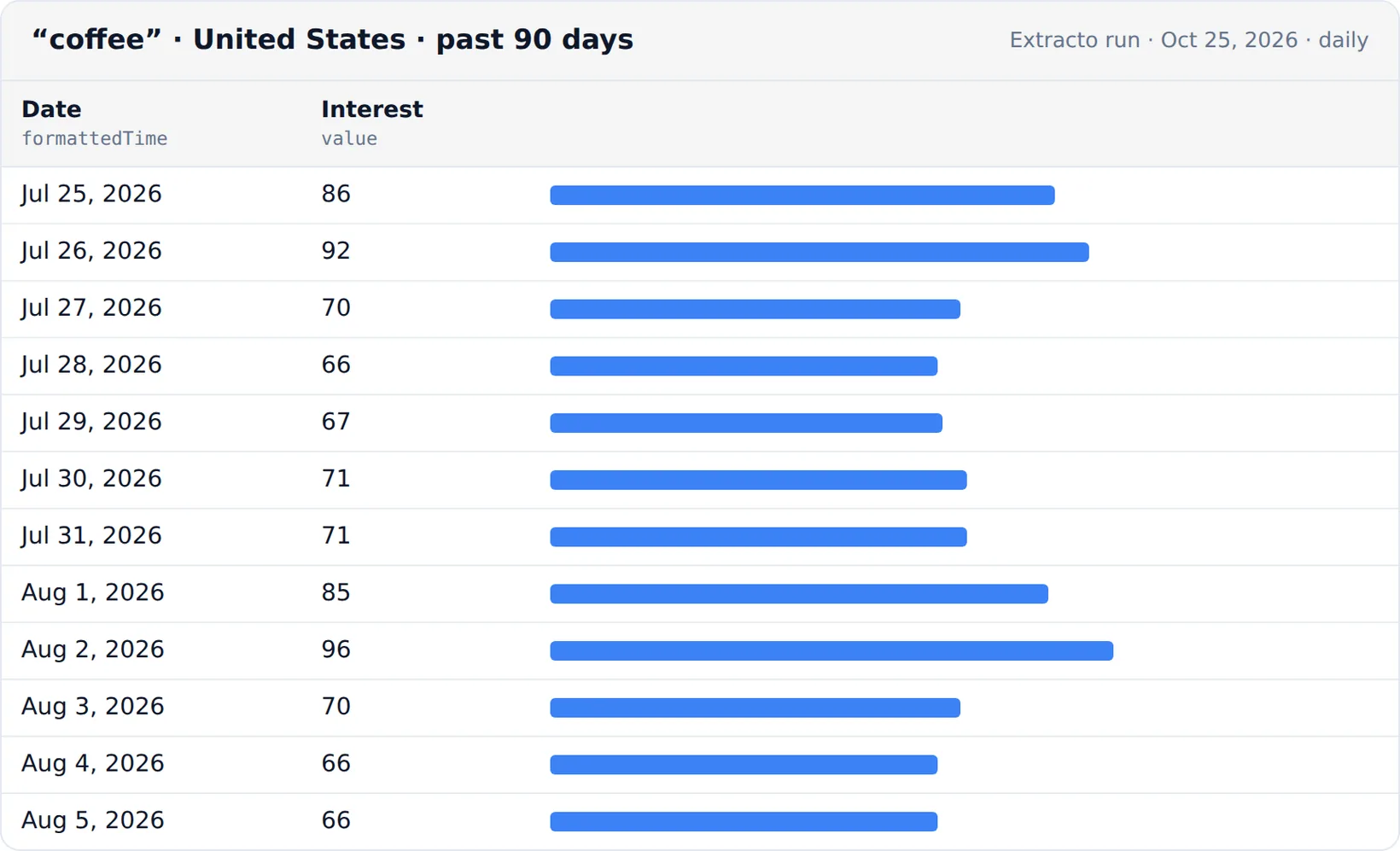
The Google Trends Scraper works as a Google Trends data API you can use today. Give it keywords, countries or regions (US, US-CA) and a period, and it returns one row per data point:
| Input | Options |
|---|---|
| Keywords | One per line; compare up to 5 on one shared scale, or analyse each separately |
| Location | Country or region codes, one per line |
| Period | Presets from the past hour (per minute) through past 90 days (daily), 12 months and 5 years (weekly) to 2004–present (monthly), or a custom range like 2026-01-01 2026-06-30 |
| Search type | Web, image, news, YouTube or shopping searches, plus an optional category |
| Data | Interest over time, interest by region (country, region, metro area or city), or both |
Each row has the keyword, date or region, the value, the timeframe and its granularity, plus the series average and a link to the same view on trends.google.com. One data point is one result, so a year of weekly data for one keyword is 52 results and costs $0.00.
Google Trends API in Python
Call the scraper from Python like any other API:
import requests

response = requests.post(
    "https://extracto.cloud/api/v1/parsers/google-trends-scraper?wait=1",
    headers={"X-API-KEY": "ext_your_api_key", "Idempotency-Key": "trends-coffee-tea-2026-11"},
    json={"input": {"searchTerms": ["coffee", "tea"], "geos": ["US"], "timeframe": "today 12-m",
                    "compareKeywords": True, "includeInterestOverTime": True}},
    timeout=600,
)
for row in response.json()["data"][:10]:
    print(row["searchTerm"], row["date"][:10], row["value"])
Load the rows into pandas with pandas.DataFrame(response.json()["data"]) and pivot by keyword to chart them.
Is the Google Trends API free?
The Trends website is free, and Google has not announced any Google Trends API pricing for the alpha. If you are not in the alpha, the free options are manual CSV downloads from trends.google.com or an unofficial library you maintain yourself. The scraper costs $0.05 / 1,000 results; new accounts get 2,500 trial credits.
How to read Google Trends numbers
- Values run from 0 to 100. 100 is the peak popularity for the chosen keywords, place and period; 50 means half as popular as the peak.
- They are relative, not search volumes. For volumes, use a keyword tool and use Trends for the shape of demand.
- Change the period or add a keyword to a comparison and every value is rescaled, so compare only numbers from the same request.
- Small keywords can show as 0 or with gaps; Google samples the data, so values can differ slightly between runs.
What people use Google Trends data for
- Seasonality: when demand for a product or topic peaks, to plan content and stock.
- Market comparison: where a product is most searched, by state or city.
- Brand tracking: your brand against competitors, on one scale, refreshed weekly.
- Content research: combine with a SERP API to see which rising topics have weak search results.