1. Check whether one site uses Shopify
Open the site, view the page source and search for cdn.shopify.com: Shopify stores load their files from Shopify's CDN. Many also set a Shopify.shop variable with the store's .myshopify.com address. On allbirds.com, for example, the source contains both, and the shop is weareallbirds.myshopify.com.
A second check is the URL /products.json: on many Shopify stores it returns the catalogue as JSON. Some stores turn it off, and big brands may run Shopify on a subdomain (store.example.com) rather than the main site, so check the shop pages, not only the home page.
2. How to find Shopify stores on Google
Google search operators find stores that still show Shopify traces, for example site:myshopify.com coffee or a niche keyword with "powered by Shopify". It is a quick way to find Shopify stores in your niche, but results are incomplete: most established stores use their own domain and remove the footer credit. To export such searches at scale, use a SERP API.
3. Use a Shopify store finder
The Shopify Store Finder searches an index of about 6.6 million Shopify stores. Filter by:
- Country: two-letter codes such as US, GB or DE.
- Industry: words such as Fashion, Beauty, Food or Sports.
- Apps and stack: stores whose known stack mentions Klaviyo, Klarna, PayPal and the like.
- Shopify Plus only, ranked only (stores with a global traffic rank, which usually means real visitors), and a minimum number of products.
- Sort by traffic rank or estimated revenue, and page through large lists across runs.
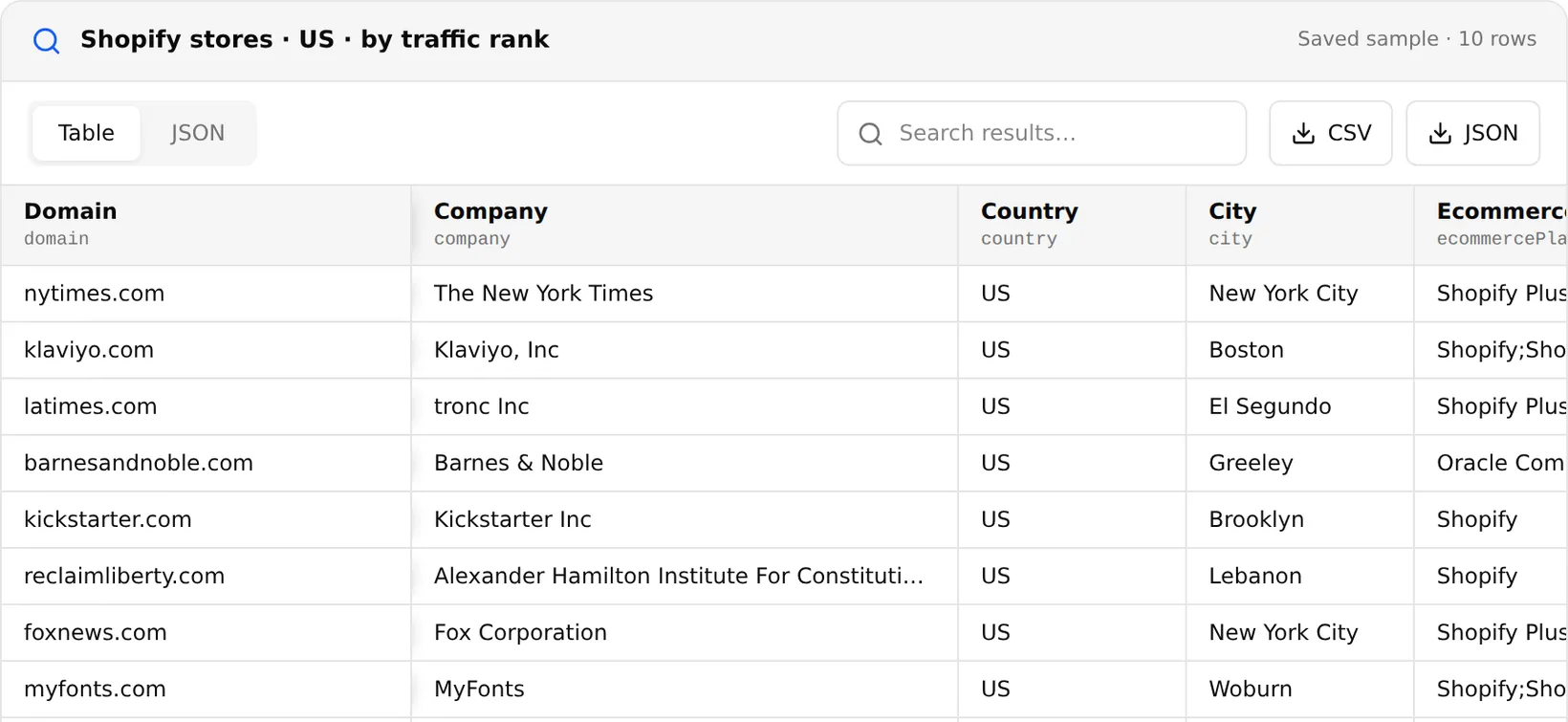
Each store comes with its domain, company, country, city, platform, industry, number of products, employees, traffic ranks, payment platforms, marketing tools and hosting, and dates first and last detected. You can also send a list of domains to check which of them are in the index. It costs $0.99 / 1,000 results.
These are indexed records, not a live check of every store. Large companies can appear because they run a Shopify store on a subdomain (nytimes.com is listed because of store.nytimes.com), and some records carry a different platform for the main domain. For accounts that matter, confirm with the technology detector before outreach.
4. Scrape products from a Shopify store
Once you have stores, a simple Shopify store scraper reads their catalogues from the Shopify products JSON endpoint, /products.json. This script checks a site and prints five products:
import requests

def is_shopify(url):
    html = requests.get(url, headers={"User-Agent": "Mozilla/5.0 (compatible; my-scraper/1.0)"}, timeout=20).text
    return "cdn.shopify.com" in html or "Shopify.shop" in html

def products(store, limit=5):
    r = requests.get(f"{store}/products.json", params={"limit": limit}, timeout=20)
    r.raise_for_status()
    return [(p["title"], p["variants"][0]["price"]) for p in r.json()["products"]]

store = "https://www.allbirds.com"
print(is_shopify(store))
for title, price in products(store):
    print(price, title)
Run on November 20, 2026 it printed True and five Allbirds products with prices. Each product in the JSON also has its handle, vendor, type, tags, variants and images. Any Shopify scraper built this way should respect each store's terms and request pages slowly; stores that disable the endpoint need a normal page scraper.
What people use Shopify store lists for
- App and agency sales: Shopify Plus stores in a country that use a competitor's app.
- Market research: how many stores sell in a niche, and how big they are.
- Competitor monitoring: product and price changes in rival stores via
/products.json. - Lead lists: add contacts from each store's website with the email scraper.